



Digital Accessibility
Improve the accessibility of your site
AI-powered WayWidget
integrates easily and makes your site more accessible and inclusive, while contributing to increased traffic.
Trusted by well-known businesses of all sizes across Europe.

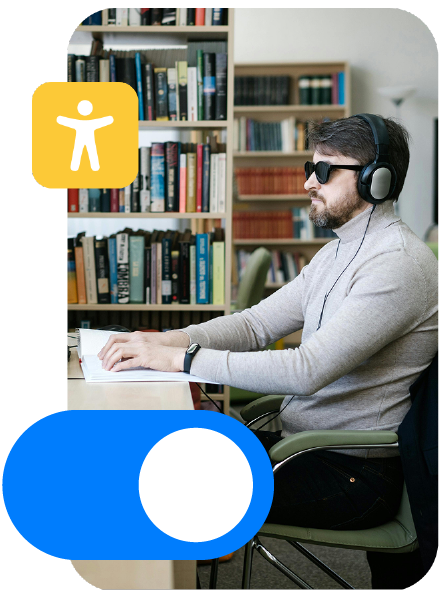
Why Accessibility Matters
 Up to 20% of your visitors might need accessible design
 Avoid fines and complaints under the European Accessibility Act.
 Build trusted relationships with your customers by offering a better experience for everyone.
Why Accessibility Matters
Up to 20% of your visitors might need accessible design
Avoid fines and complaints under the European Accessibility Act.
Build trusted relationships with your customers by offering a better experience for everyone.
Does your site comply with the
European Accessibility Act?
On June 28th, 2025, the European Accessibility Act came into effect.
This article breaks down which businesses need to comply, what’s required, and how accessibility can boost traffic and customer trust.
Does your site comply with the
European Accessibility Act?
On June 28th, 2025, the European Accessibility Act came into effect.
This article breaks down which businesses need to comply, what’s required, and how accessibility can boost traffic and customer trust.
Our accessibility solutions
Full solution
For large organizations such as public administrations and premium brands.
The Full Solution ensures your website complies with new accessibility regulations, guaranteeing long-term compliance. It includes an in-depth assessment of your website and the delivery of a detailed report documenting the obstacles faced by people with disabilities and suggesting practical actions to address them, such as changes to the code and user interface of your pages, based on a strategic plan with clear prioritization. Furthermore, the Full Solution includes ongoing monitoring of your website's accessibility and compliance with applicable standards, even after updates or changes to your pages, without needing to rebuild your website from scratch.
Features
WayWidget
For companies operating in the European Union with more than 10 employees or an annual turnover of more than €2 million (or equivalent balance sheet)
WayWidget solutions improve website accessibility, helping you comply with the standards set by the European Accessibility Directive (EAA) without increasing your business costs, taking into account the revenues of micro, small, and medium-sized enterprises. These solutions use Artificial Intelligence and offer a simplified version with a module for customizing navigation, improving the experience for users with disabilities.
Features
Compare plans
Lite, Standard, and Full: one for every need.
WayWidget Lite
For only 5 €
per month + VAT
per month + VAT
For sites from 10k to 80k
page views
Generate Alt tags
for unlimited images
Accessibility badges
for unlimited pages
WayWidget Standard
For only 45 €
per month + VAT
per month + VAT
For sites from 80k to 1M
page views
Generate Alt tags
for unlimited images
Accessibility badges
for unlimited pages
Pre-set
configurations
Full solution
Tailor-made for you
everything you need
everything you need
Unlimited
page views
Generate Alt tags
for unlimited images
Accessibility badges
for unlimited pages
Pre-set
configurations
Not sure which version you need?
Contact usAdvantages
Advantages
Increase readability
This section of the interface allows users to adjust how the content of your website is displayed so that it is as readable as possible.

Enhance Visibility
People with varying degrees of color blindness or visual impairment may not be able to see your content well, while light-sensitive users may not be able to navigate websites with white backgrounds.

Minimise distractions
This section of the interface offers adjustments designed to enable people with visual impairments, cognitive disabilities or motor disabilities to better navigate your website.

Languages
WayWidget ensures the accessibility of websites worldwide, across many different legislations and regulations, and in 14 different languages.
Compliance
We offer both tools that can accelerate your compliance efforts and solutions that ensure your compliance with the Accessibility Act and local regulations.

Attract more customers
Your accessibility efforts can also improve load time, website structure, leading to a better user experience, which can improve your SEO rankings.

Running a small business?
You can start your journey to making your website accessible at a low price. It’s a small investment
with a big impact.
Frequently Asked Questions
The directive also applies to private entities that reach this threshold, regardless of the presence of an e-commerce site. If digital services are offered within the group or websites (including informational ones), it is possible that the obligation to comply with the accessibility standards required by the legislation applies.
Therefore, it is not only the size of your company that counts, but also that of the group to which it belongs. Compliance with EAA requirements is not exclusively linked to online sales, but more generally to the provision of accessible digital services.
WayWidget's software is a truly efficient and effective first step for a website, as it can automatically fix more than 70% of the elements on the site. This is only the first step towards the highest possible level of compliance for the site, which can be achieved thanks to the accessibility services provided by the leading experts in the sector.
The self-renewing service guarantees you a periodic and automatic evaluation, keeping your Accessibility Statement always up to date and your site compliant over time, even in the absence of obvious changes.
It's a simple and safe way to protect your company and offer all users -including those with disabilities - an accessible and legally compliant browsing experience.
- How does WayWidget help blind people?
WayWidget uses machine learning to scan, analyze and interpret each element of the page in the same way as sighted users. It then uses ARIA attributes (Accessible Rich Internet Applications) and various behavior adjustments to provide complete context to screen readers. This allows blind users to navigate sites accurately. Drop-down menus, forms, pop-ups, icons and buttons are all included in the process. It also uses computer vision and optical recognition processes to provide accurate descriptions of images that will be read to the user by the screen reader. Artificial Intelligence automatically makes these accessibility adjustments on the browser session of users who request them. Whenever the navigation profile for Blind Users is activated (alt + 1), the following adjustments will occur:
1. ARIA attributes are automatically added for context and behavior adjustments, to optimize elements in the most complete and efficient way. For example, determining the main menus, the structure of the header and the recognition of important icons.
2. Correct navigation is guaranteed without using the mouse or trackpad but simply using the keyboard keys that will function as commands. This is done by inserting a correct hierarchization and labeling of the various elements that make up a site.
- How does WayWidget help people with physical/motor disabilities?
Generally, in the context of a website, physical and motor disabilities are defined by the inability to use a mouse to navigate. In general, a keyboard can do everything a mouse can do. The problem is that most websites are not optimized for keyboard navigation, which means that page elements do not respond to the actions commanded. As a result, these sites exclude people with motor disabilities. This means that if a website element, such as a popup, form or menu, is not designed to respond to keyboard commands, then there is no way to interact with them without a mouse. For example, we all know that when we enter a website, an image or banner may appear in the form of a popup. If this happens, we click the X to close it and continue browsing the site without any problems. The problem arises if the popup is not optimized for keyboard navigation and does not respond to the command to close it: the user will be stuck on the popup, unable to return to the original page. WayWidget makes websites completely keyboard-navigable. Using ARIA attributes and the contextual understanding of the AI engine, the necessary changes are made throughout the website code. People with motor disabilities can use the keys to perform any action, from closing pop-ups and forms to opening dropdowns and menus. In addition, to facilitate and speed up access to the various parts of the site, users will be able to consult a list of "useful links" directly from the interface. In this way, navigation is truly accessible and allows the user to save time and energy.
- How does WayWidget help people with cognitive disabilities?
People with cognitive disabilities have some limitations that can impact how website content is perceived and understood. These people can have confusing and frustrating experiences when visiting a website without proper context or changes in navigation. For example, slang and abbreviations can be difficult to understand for people with cognitive disabilities who don't know how to interpret the meaning of a word. When it comes to navigation, many websites are beautifully and innovatively designed, but they can be quite confusing for people who can't focus on the different elements of the site. What does WayWidget do to solve this problem? WayWidget helps people with cognitive disabilities by enabling features on your site that add clarity and focus to elements on the page. For example, the WayWidget interface comes with a built-in dictionary for on-demand definitions. Additionally, site elements are outlined and focused so that visitors can clearly see the flow of the page without getting distracted. The WayWidget interface also offers a default Cognitive Disability profile. Visitors who require extra attention to fully understand elements of the site may not easily see which accessibility changes they need. By accessing this easily discoverable Profile for users, you enable all of the above changes for quick, easy, and complete web accessibility.
- How does WayWidget help people with epilepsy?
The beauty of websites is that they can be designed to display content in a variety of ways. Unfortunately, some inaccessible elements can be frustrating and even dangerous for some users. People with epilepsy are forced to navigate websites with great caution, as flashing elements such as GIFs, videos, or animations can trigger a seizure. In many cases, these images loop or autoplay or do not respond to a user's interactions or attempts to interrupt them. Simply put, any website can be a minefield for someone with epilepsy. What does WayWidget do to solve the problem? WayWidget's interface allows site visitors to stop all flashing elements on a page. Instead of scrolling carefully and quickly pausing dangerous elements, epileptic users can pause everything at once, before viewing it. This is made even easier by activating the 'Seizure Safe' profile, which simultaneously stops all flashing/blinking elements and reduces dangerous color combinations on the site.
- How does WayWidget help people with visual impairments?
A website can have many different shades, colors and formats. For people with visual impairments, the wrong color combination or font size can make it difficult or even impossible to view the content on your site. Common visual impairments include blurred vision, color blindness and glaucoma. For example, you use a primary color for your website theme; a visitor with color blindness may not even be able to see it. In other cases, fonts are too compact or too small for a website user to even read what is written on a page. One of the biggest obstacles to accessible design is that many times a website owner does not want to compromise their website design and branding just to accommodate accessibility: a website is an extension of their business, and many times it is the presentation and first contact with a customer. This makes a business's website, regardless of the market or service, a very important factor! With WayWidget and consulting services, you can stay true to your design and allow people with visual impairments to navigate effectively. How do we make this compromise possible? After installing WayWidget on your site, the new accessibility interface will immediately appear on your website. This interface is a single sign-on tool, meaning it allows any visually impaired visitors to make changes on demand for the time they are on the site. For site users who do not need adjustments, the site design will remain intact. UI and design adjustments include content, color, and orientation changes. All accessibility changes mentioned for visual impairments will be activated simultaneously, allowing the user to easily view the content.